
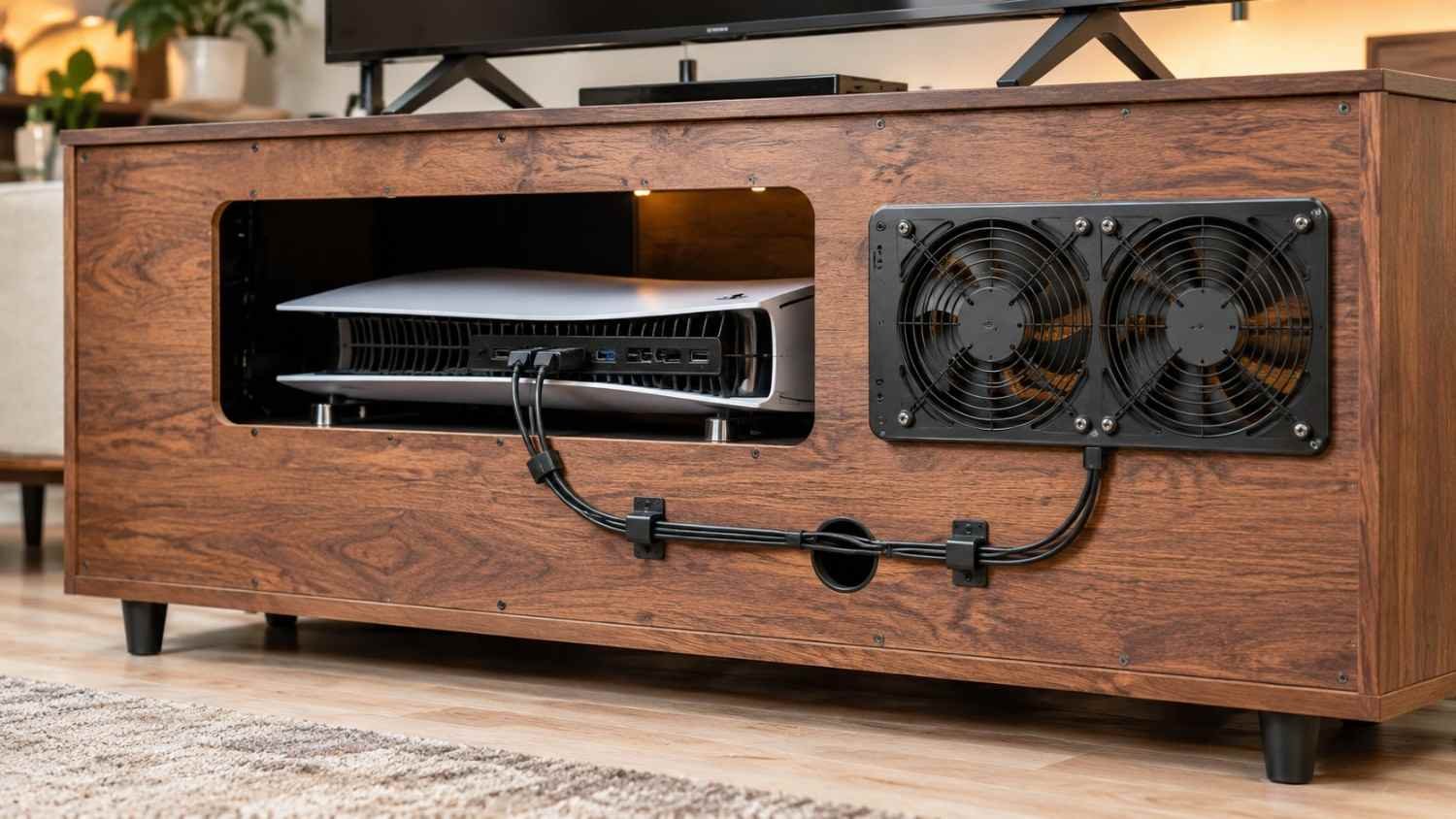
Your gaming console might look perfectly organized inside a TV stand, but that enclosed space could be trapping more heat than you realize. Poor ventilation can cause louder fans, overheating warnings, and unexpected shutdowns during gaming sessions.
I’ve found that learning how to improve airflow around a gaming console in a TV stand starts with three simple changes: creating enough clearance, removing trapped hot air, and keeping ventilation openings clean.
Whether you use a PlayStation 5, Xbox Series X, Xbox Series S, or Nintendo Switch, these practical improvements can help protect your gaming setup without replacing your entertainment center.
Why Does a Gaming Console Overheat Inside a TV Stand?
Gaming consoles generate heat while running games and processing demanding graphics. A graphics processing unit (GPU) handles complex visuals and produces heat during intensive gaming sessions. The console’s internal fans draw in cooler air and release warm air through ventilation openings to help maintain safe operating temperatures.
Problems develop when a closed TV cabinet prevents that warm air from escaping.
Solid back panels, glass doors, tightly packed electronics, and restricted shelf space can create heat traps.
I recommend checking your entire entertainment center instead of assuming the console’s internal cooling fan is defective.
1. How Much Space Should You Leave Around a Gaming Console?
Proper console ventilation starts with adequate space around the device.
I suggest aiming for approximately 4–6 inches of clearance where practical, especially near exhaust openings. However, this is a general planning range rather than a universal manufacturer requirement.
Sony recommends at least 4 inches (10 cm) of clearance around a PS5 and warns against cramped spaces.
Xbox Series X airflow and Xbox Series S ventilation also depend on keeping their intake and exhaust openings unobstructed.
Measure your TV stand before choosing a shelf. If the compartment cannot provide the clearance recommended for your console, choose a more open location.
2. Where Should You Position a Console Inside a TV Stand?
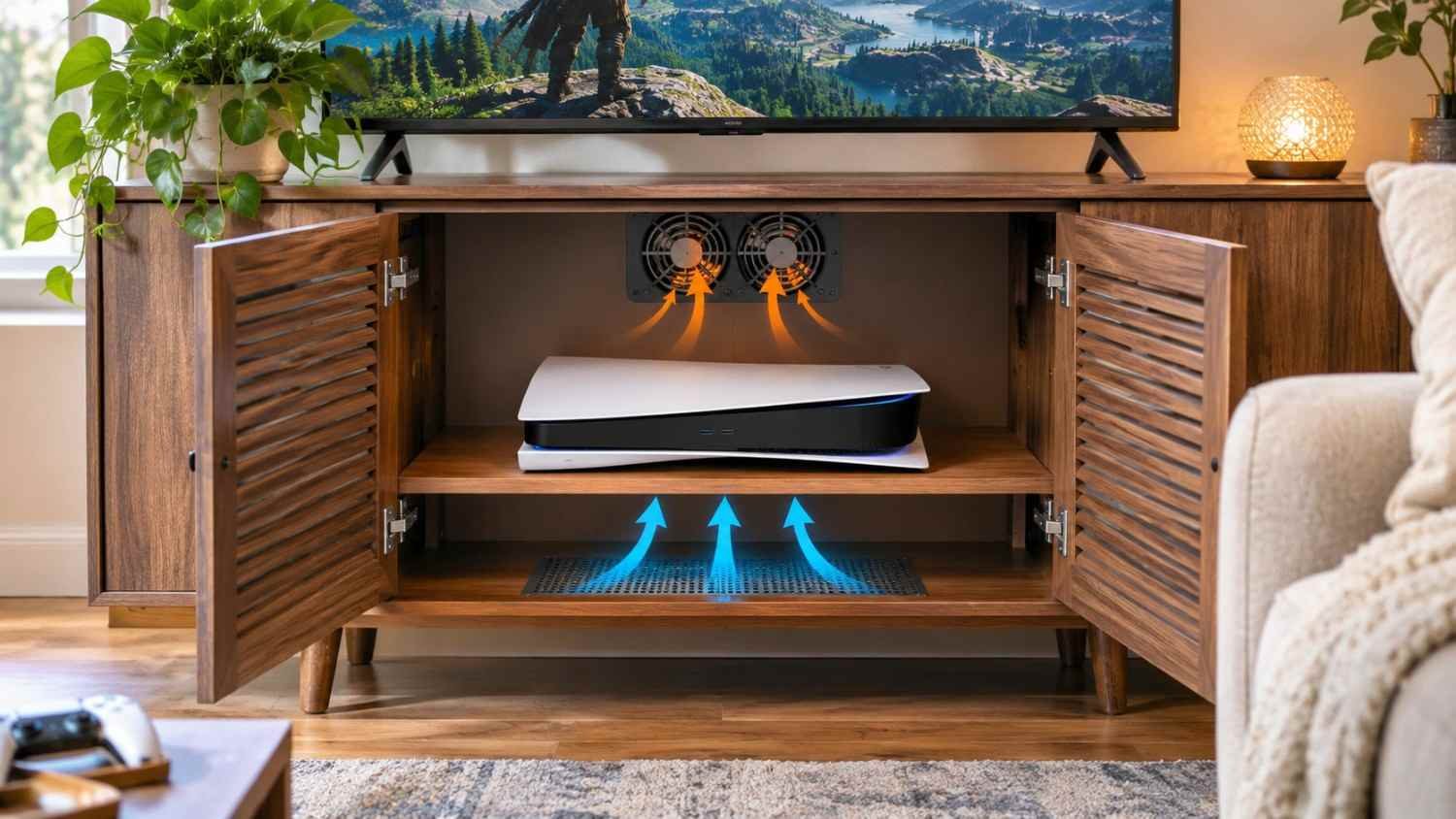
One of the easiest ways to prevent console overheating is to reposition the system.
Keep its main exhaust vents away from wooden panels, nearby electronics, and decorative objects.
I prefer positioning consoles where warm exhaust air can escape toward an open area rather than circulate against the back of the cabinet.
Never stack cable boxes, audio receivers, gaming accessories, or other equipment directly on the console.
Use the manufacturer’s approved horizontal or vertical orientation and any required support stand.
3. Should You Keep TV Stand Doors Open While Gaming?
Yes. Keeping cabinet doors fully open while gaming can improve air circulation.
Closed wooden or glass doors may trap warm air, particularly during demanding games or extended sessions.
I recommend opening both doors whenever possible, especially if your entertainment center has limited rear ventilation.
However, an open front cannot compensate for blocked exhaust vents. If the cabinet still traps heat, consider moving the console to an open shelf.
4. Can Removing the TV Stand Back Panel Improve Airflow?
Removing a suitable rear panel can help trapped heat escape.
Many entertainment centers have thin removable backing panels. Some are primarily decorative, while others contribute to stability.
Before removing one, check the furniture manufacturer’s instructions.
If permanent modifications are appropriate, carefully planned ventilation openings can create a path for exhaust air.
A hole saw or similar woodworking tool may help create openings, but avoid cutting structural sections, hidden wiring, or areas that could weaken the stand.
For renters or anyone uncomfortable modifying furniture, I recommend using an open-backed shelf instead.
5. Do USB Cooling Fans Help Ventilate a TV Cabinet?
A properly positioned TV cabinet cooling fan can help remove warm air from an enclosed compartment.
For readers researching how to improve airflow around a gaming console in a tv stand, an active exhaust system may be useful when passive ventilation isn’t sufficient.
A dual 120mm USB fan kit, such as a compatible AC Infinity AIRPLATE configuration, is one option worth considering.
Where Should You Install TV Cabinet Exhaust Fans?
I recommend positioning an exhaust fan near the upper rear portion of the cabinet, where warm air can be expelled.
Provide a separate opening for cooler room air to enter, creating a continuous airflow path.
Check the fan’s electrical requirements before connecting it to a console USB port. USB power availability can vary between devices and power modes.
A compatible wall-powered adapter or temperature-controlled fan system may provide more consistent operation.
External fans should support proper ventilation, not compensate for blocked console vents.
6. Can Raising a Gaming Console Improve Airflow Underneath It?
Small rubber dome bumpers or furniture risers can sometimes improve airflow underneath equipment designed with bottom ventilation openings.
However, I wouldn’t automatically add risers to every gaming console.
First, check whether your device actually requires underside clearance and whether the manufacturer permits additional supports.
Improvised risers can make consoles unstable or interfere with their designed cooling systems.
Use approved stands and stable, hard surfaces rather than soft rugs or carpet.
7. How Does Cable Management Improve TV Stand Airflow?
Crowded cables can obstruct ventilation paths and make cleaning difficult.
I recommend routing HDMI, power, and Ethernet cables along the sides or rear edges of the entertainment center.
Reusable cable ties and adhesive cable organizers help keep everything accessible.
Avoid forcing thick cable bundles against exhaust openings.
Better gaming console cable management also reduces clutter, making it easier to spot blocked vents before they cause problems.
8. How Often Should You Clean Gaming Console Vents?
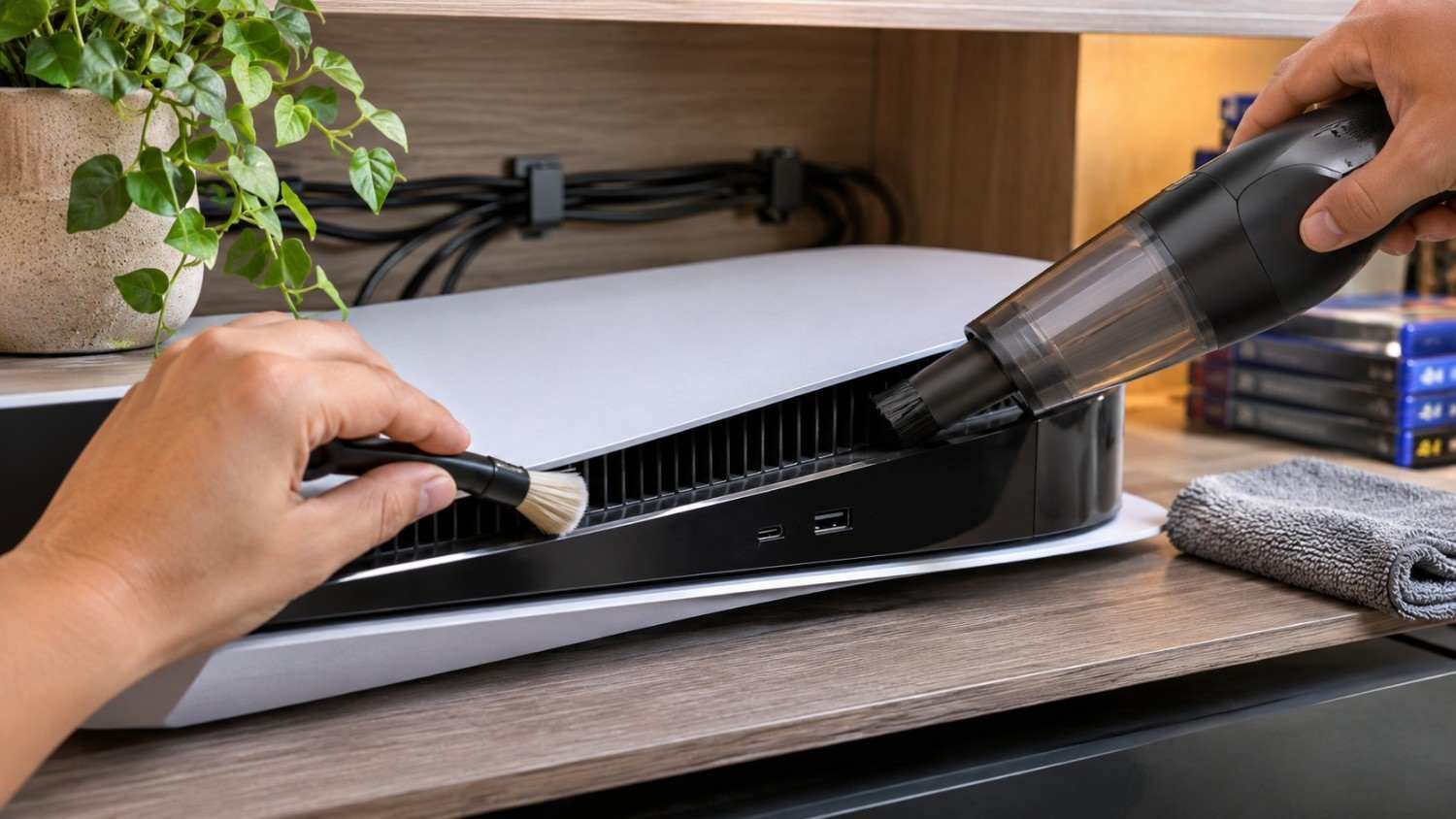
Dust buildup can restrict airflow and interfere with cooling.
I suggest wiping the TV stand’s shelves weekly, particularly in homes with pets or carpeted living rooms.
Inspect the console’s exterior vents regularly and clean them when needed.
Turn off the system, unplug it, and allow it to cool before cleaning.
For PS5 consoles, Sony recommends using a low-powered vacuum to remove dust from ventilation openings.
Some devices have different maintenance requirements. Avoid directing canned air or electric dusters into internal components unless the manufacturer specifically permits that method.
Never insert a toothpick into the fan to hold its blades still. Internal heatsink cleaning should follow official service instructions rather than improvised disassembly.
9. How Can You Test Whether Your TV Stand Has Enough Airflow?
After improving your gaming console ventilation, test the arrangement during normal use.
I recommend comparing similar gaming sessions with the console in an open location and inside the intended cabinet.
Watch for overheating notifications, unexpected shutdowns, and unusual changes in fan behavior.
Warm exhaust air and temporarily louder cooling fans aren’t necessarily warning signs.
When exploring gaming desk organization ideas without buying accessories, I also recommend rearranging existing equipment to improve airflow, keeping ventilation openings clear, and removing unnecessary items around the console without spending extra money.
If problems repeatedly occur inside the cabinet but disappear when the console is moved into an open area, restricted ventilation may be contributing.
Shut down a system that displays overheating warnings and follow the manufacturer’s troubleshooting instructions.
Frequently Asked Questions (FAQs)
1. Can a PS5 or Xbox Overheat Inside a Closed Cabinet?
Yes. A poorly ventilated cabinet can trap hot air and increase overheating risks. Proper clearance and adequate exhaust airflow are essential.
2. Is Removing the Back of a TV Stand Better Than Adding Fans?
Removing a suitable nonstructural panel may improve passive ventilation without additional equipment. Fans can help when the cabinet still traps heat despite having adequate intake and exhaust openings.
3. Do Gaming Consoles Need Extra Cooling Fans?
Most consoles are designed to operate with their built-in cooling systems when installed according to manufacturer requirements. Additional cabinet fans are useful only when the surrounding furniture needs better ventilation.
4. What Is the Cheapest Way to Improve Gaming Console Ventilation?
Open the cabinet doors, clear nearby objects, reposition the console, organize cables, and clean dusty vents. These simple adjustments often require no additional purchases.
Conclusion
Keeping a gaming console cool doesn’t always require expensive accessories or a new entertainment center. Proper positioning, clear ventilation openings, regular cleaning, and a suitable escape route for warm air can make a noticeable difference.
My approach to improving airflow around a gaming console in a TV stand is to start with free improvements before considering cabinet modifications or cooling fans.
With adequate clearance and consistent maintenance, you can maintain a cleaner, safer, and more comfortable gaming setup for years to come.